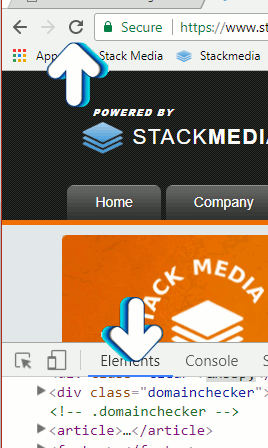
This method of clearing the cache for Chrome browser is nice because it just clears the cache for the page you are on. It will not clear saved passwords or logged in sessions for other sites.
Author: Jesse Lange
Get a custom, mobile-friendly website designed and built for your business, ready to launch on your hosting.
Explore Web Design See website projects© 2026 Stack Media Hosting. All rights reserved.