There are two ways to add categories in Woocommerce. The first way is to go to the category section by going to Products – Categories.
In the following section it's self-explanatory. Once done creating your category, you can add a product to that category by going to Products section.
Select the product that you want to add to your category. On the right-hand side of the product's page, you will see a section for categories. Here you can check the boxes of the categories you want your product to be associated with.
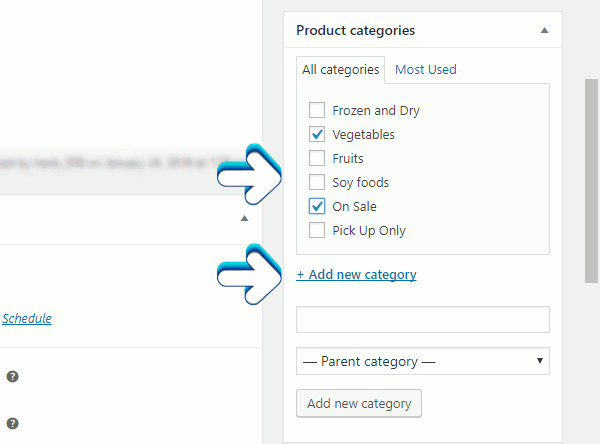
There is also a link +Add new category. This is our second way to add a category. This ways convenient if you don't need to do much configuration.
Author: Jesse Lange